How to Pay Your Invoice Online (Payt)
We use Payt to offer a quick and secure way to pay your Salesmark West invoices online. You can pay a single invoice or multiple invoices together in just a few clicks.
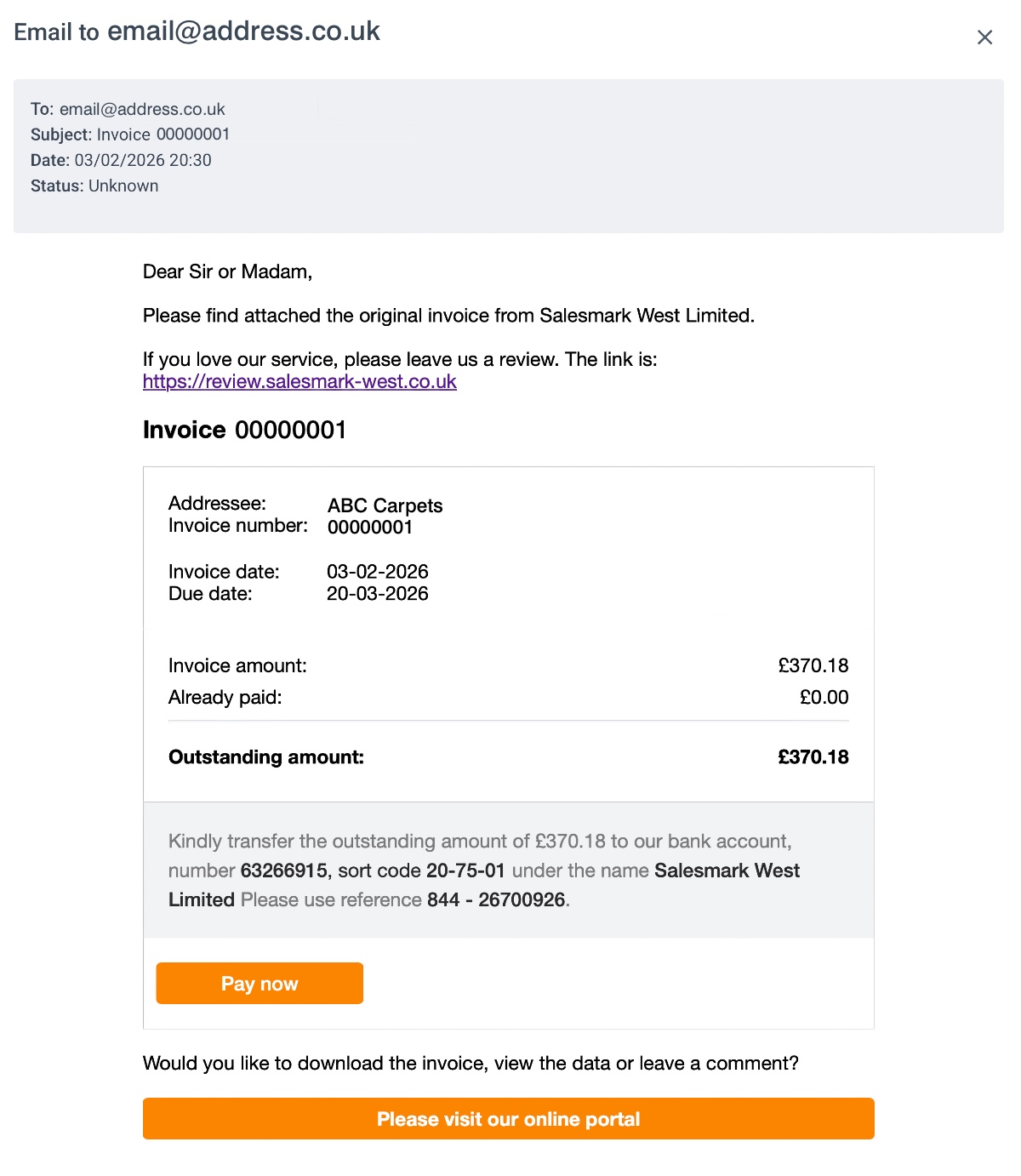
1. Open the invoice email
You will receive an invoice email from Salesmark West Limited showing your invoice summary and a payment button.
• Open the email
• Click Please visit our online portal (or the pay now link in the email)
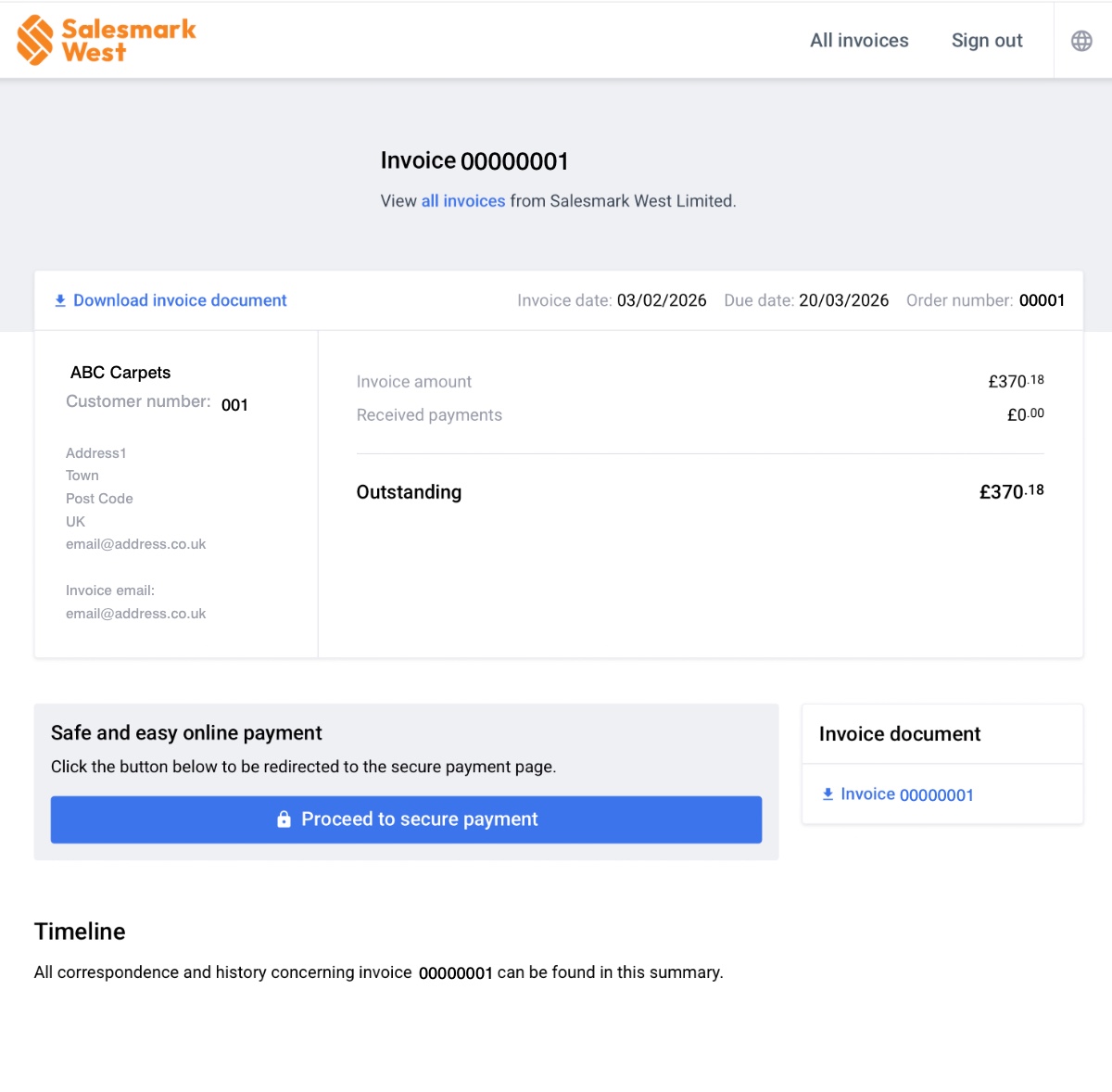
2. Click "Proceed to secure payment"
You will be taken to your secure invoice page where you can review:
• Invoice number
• Invoice date and due date
• Amount outstanding
• Download invoice document
To pay, click Proceed to secure payment and follow the on-screen instructions.
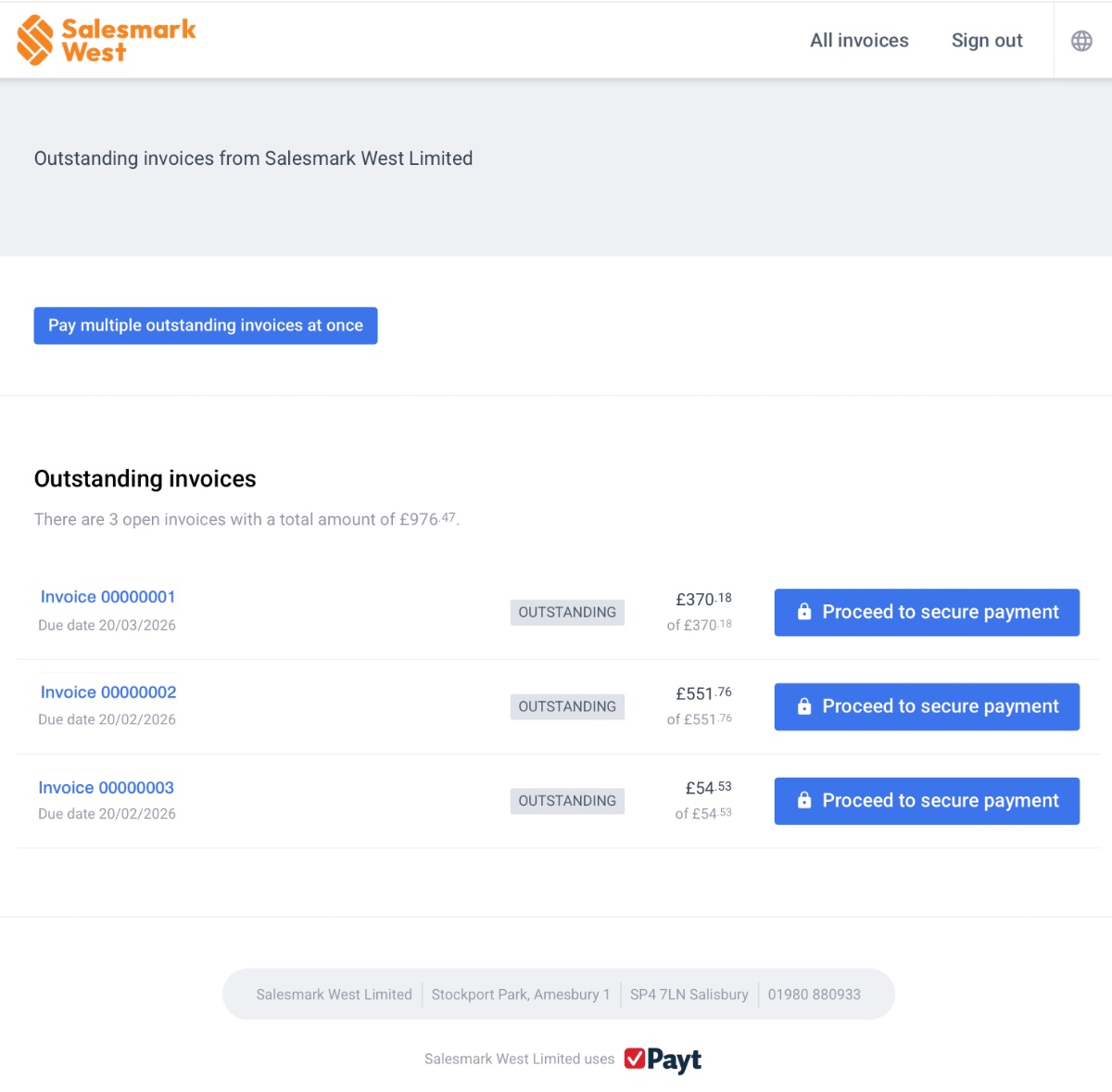
3. View all invoices (optional)
If you have more than one invoice, click View all invoices at the top of the invoice page.
From this screen you can:
• Pay an individual invoice by selecting it and clicking Proceed to secure payment
• Pay multiple invoices at once by clicking Pay multiple outstanding invoices at once
4. Payment confirmation
Once payment is completed, your invoice status will update and you will receive confirmation via Payt.
If you have any issues accessing the payment page or need help, please contact us: